Webhooks overview
The Webhook Service delivers event messages from your app to external systems. Use it when your backend, automation tool, data pipeline, or support workflow needs to react to Switera activity.
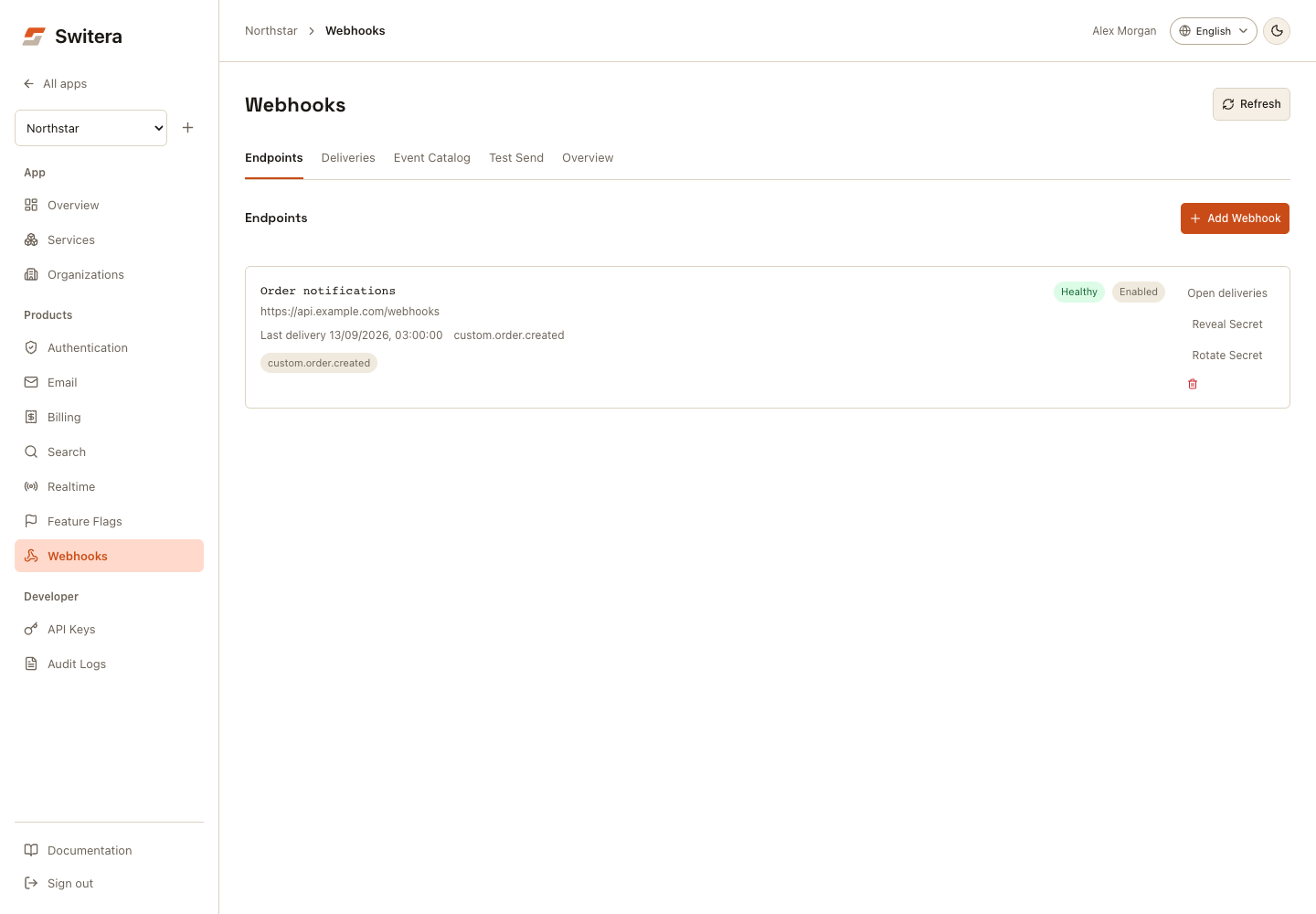
Core objects
Endpoints is the default view. Use Deliveries for attempts and replay, Event Catalog for event definitions, Test Send for synthetic messages, and Overview for health and setup. On mobile, use the Webhooks selector. SDK recipes are under Overview > SDK integration.
| Object | Meaning |
|---|---|
| Endpoint | HTTPS destination that receives webhook messages. |
| Event type | The event name an endpoint can subscribe to. |
| Event catalog | The list of built-in and builder-defined events for the app. |
| Delivery | A message sent to an endpoint. |
| Attempt | A specific HTTP attempt for a delivery. |
| Endpoint secret | Secret used by your receiver to verify message authenticity. |
First webhook setup
Select Add Webhook or Add first endpoint, then enter the receiver details.
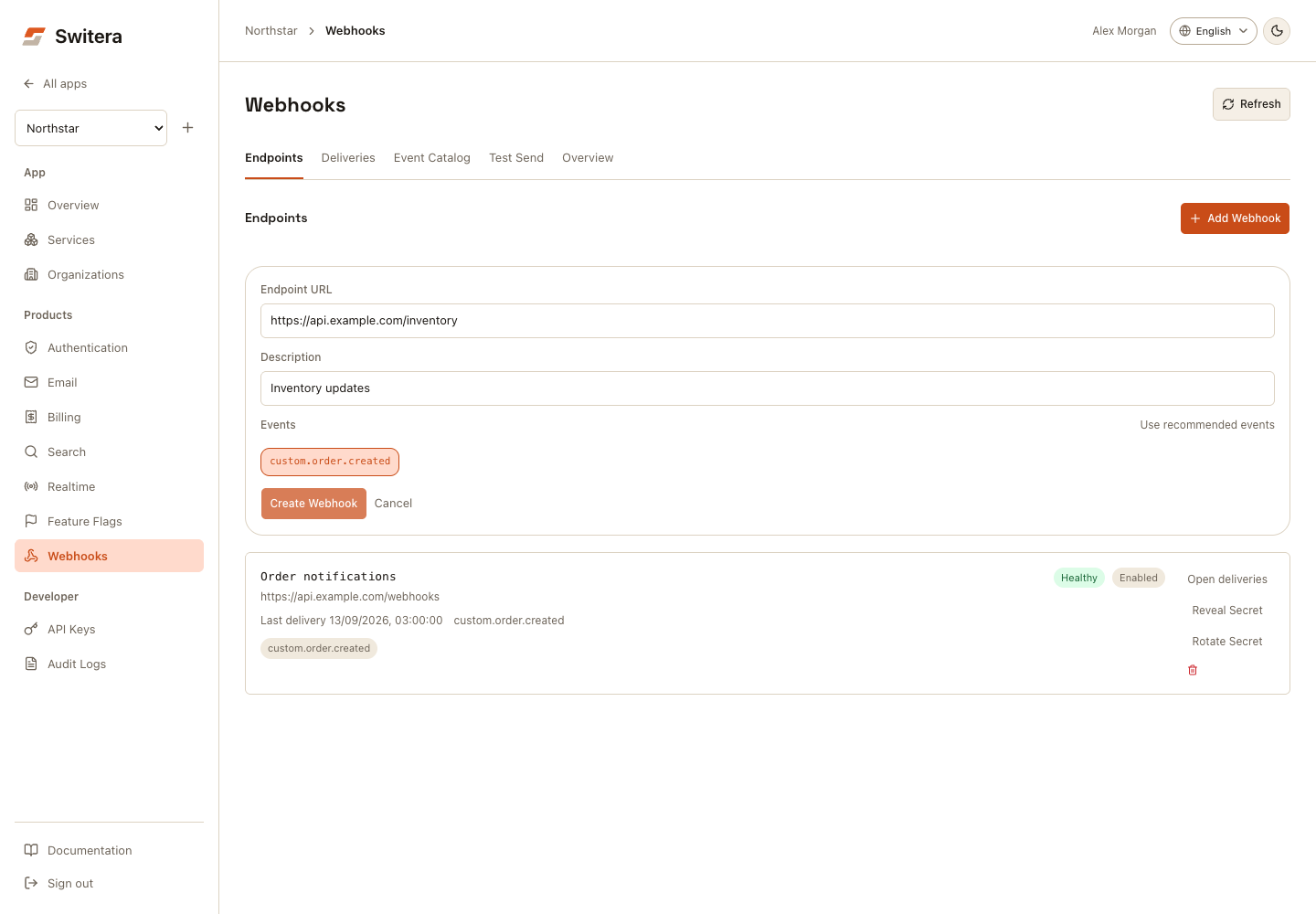
- Open Products > Webhooks.
- Select Add Webhook.
- Enter an HTTPS receiver URL.
- Choose the event types your receiver understands.
- Save.
- Copy and store the endpoint secret securely.
- Send a test event.
- Confirm the receiver validates and processes the message.
Generate integration recipes
The Webhooks overview includes an SDK integration disclosure for receiver and backend emit code. Use it when creating the endpoint, or after selecting an existing endpoint.
The panel generates:
.env.exampleentries for the receiver secret, receiver path, app ID, base URL, and trusted backend API key- a receiver route that verifies signatures from the raw request body
- a trusted backend custom-event emit call to
/api/v1/apps/{appId}/webhooks/emit
Supported launch stacks are Express API, Next.js route handlers, SvelteKit endpoints, Go HTTP handlers, and Python Flask. Receiver secrets and app API keys are server-side only. Do not expose them to browser code.
Event classes
Switera can expose several event families:
- app and organization lifecycle events
- Auth events
- email service events
- webhook delivery events
- builder-defined events emitted by your backend through the Switera API
Only subscribe to events your receiver actually uses.
Health states
| State | Meaning |
|---|---|
| Setup | Endpoint exists but has no meaningful delivery history yet. |
| Ready | Endpoint is configured and ready for test or real traffic. |
| Live | Endpoint has successful delivery activity. |
| Attention | Recent delivery failures or pending retries need review. |
Good webhook design
- Use HTTPS endpoints.
- Validate signatures.
- Respond quickly with a success status.
- Process slow work asynchronously in your system.
- Make event handling idempotent.
- Store delivery IDs for diagnosis.
- Retry from Switera only after fixing the receiver.
Related pages: