Manage end users
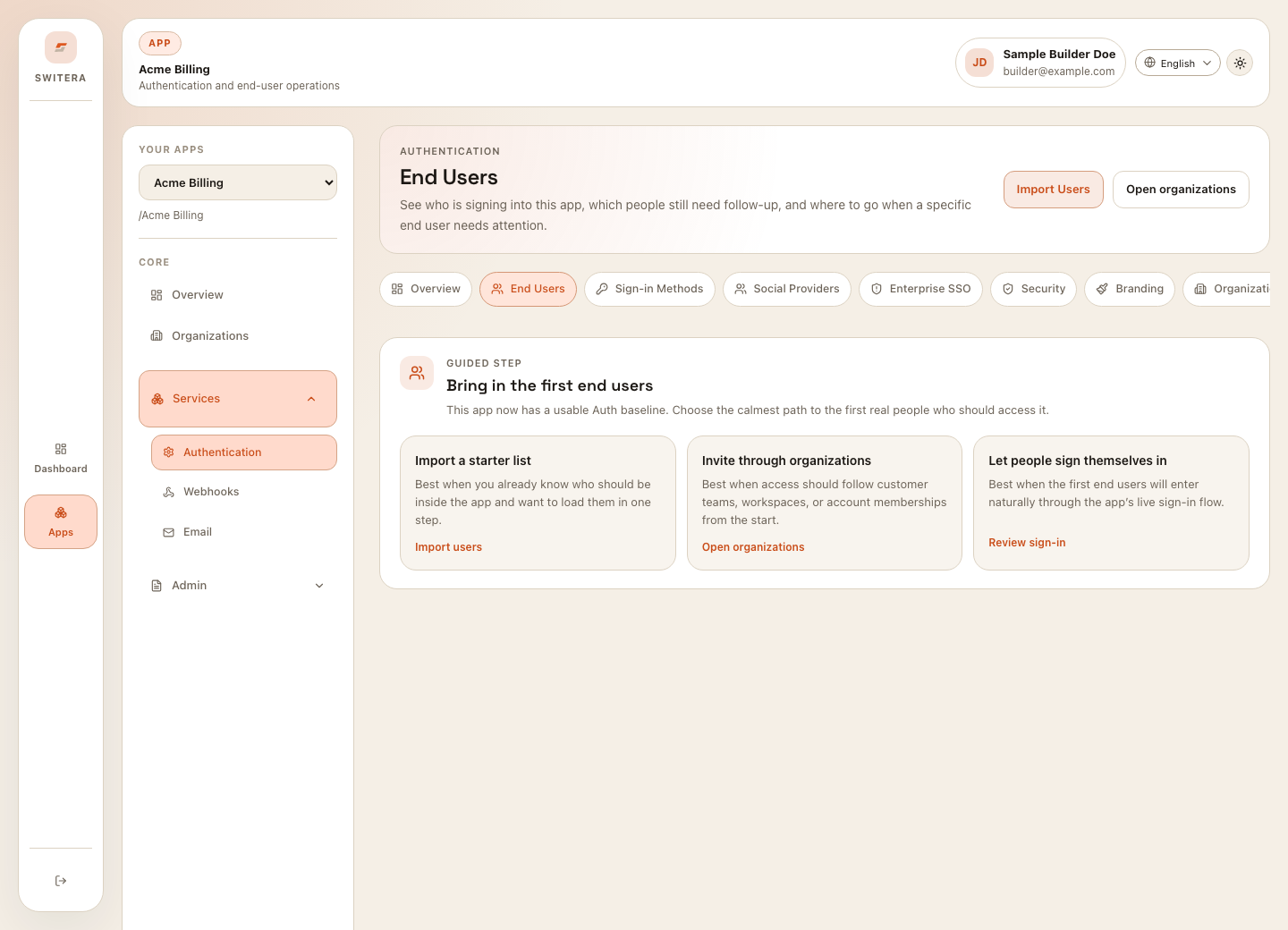
End Users are the people who sign in to the SaaS product you are building. The end-user directory is app-scoped, so always confirm the selected app before importing, exporting, suspending, or reviewing users.
When users appear
Users appear after one of these flows:
- a user signs up through the app Auth flow
- a user accepts an organization invitation
- a Builder imports a starter list
- an enterprise directory sync creates or updates users
- an admin flow creates a user through the API
Bring in the first users
For a new app, choose one path:
| Path | Use it when | Before you start |
|---|---|---|
| Import a starter list | You already know the initial user set. | Confirm the CSV/source data is approved. |
| Invite through organizations | Access should follow customer accounts or teams. | Create the organization first. |
| Let users self-register | The app supports public or controlled sign-up. | Review Auth, email verification, and legal consent. |
| Directory sync | Enterprise identity owns lifecycle. | Configure SSO and mapping first. |
Search and filter users
When users exist, use search and status filters to find accounts that need review.
Check:
- email or display name
- status, such as active or suspended
- organization assignment
- last sign-in
- recent activity
Review one user
Open a user when you need to:
- confirm profile details
- check organization membership
- review sign-in state
- suspend or restore access
- investigate failed login or MFA issues
- understand whether the user belongs to the expected organization
Import users safely
Use imports carefully because they affect real identity data.
- Prepare the source file.
- Remove duplicate rows.
- Confirm each email is intended for this app.
- Use a test app or small sample first.
- Review results after import.
- Check email and Auth behavior before inviting the full audience.
Export users
Use exports for operational review, migration, or controlled reporting. Export only the fields your team needs. Do not share exported user data in public tickets, public docs, or unsecured chat.
Common mistakes
- Importing users into the wrong app.
- Inviting users before email is configured.
- Using organization invitations when the app should use self-registration.
- Leaving suspended users assigned to active workflows.
- Copying user emails or session details into public support channels.
Related pages: