Templates and managed emails
These are emails for your app's end users, not Switera's own account notifications. Templates contains your invitation versions. Built-in contains the app's account, verification, recovery, security and lifecycle emails.
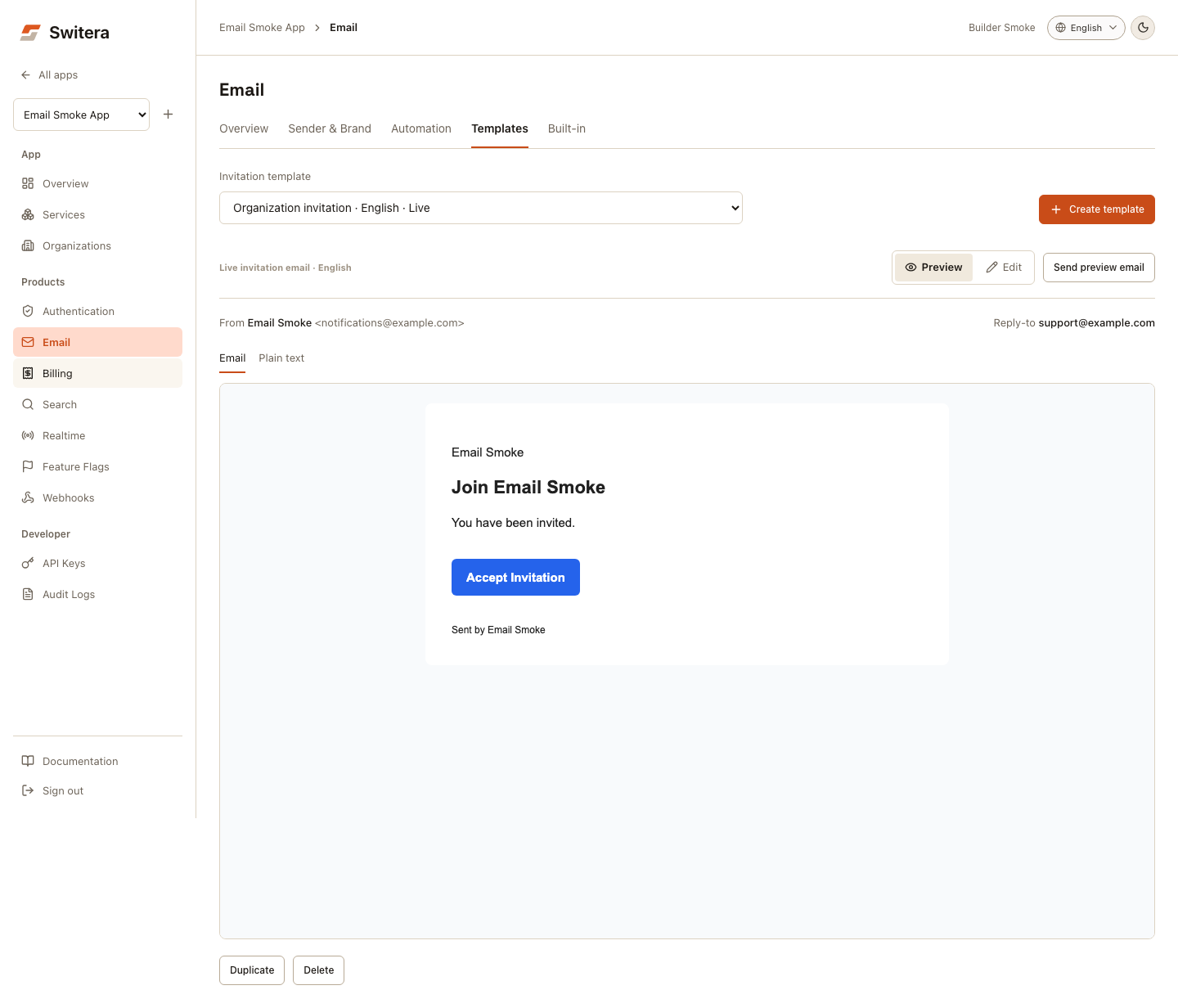
Invitation template checklist
A good invitation email includes:
- recognizable app or company name
- clear reason the recipient is receiving the email
- organization or workspace name when relevant
- direct call to action
- expiration or next-step expectation
- support path or reply-to mailbox if users may be confused
Create a template
- Open Products > Email.
- Open Templates.
- Select Create template or Start from example.
- Set the name and locale, then write the subject and main message.
- Select Preview to inspect the draft. Plain text shows the fallback.
- Return to Edit, then select Save template. Previewing does not save.
- For a saved version, select Send preview email and enter your own address.
- Select Make live on the saved version when it is ready for invitations.
On narrow screens, the + button creates another template. The version picker includes each template's locale and live status. While an invitation draft is open, save it or select Cancel before choosing a different version.
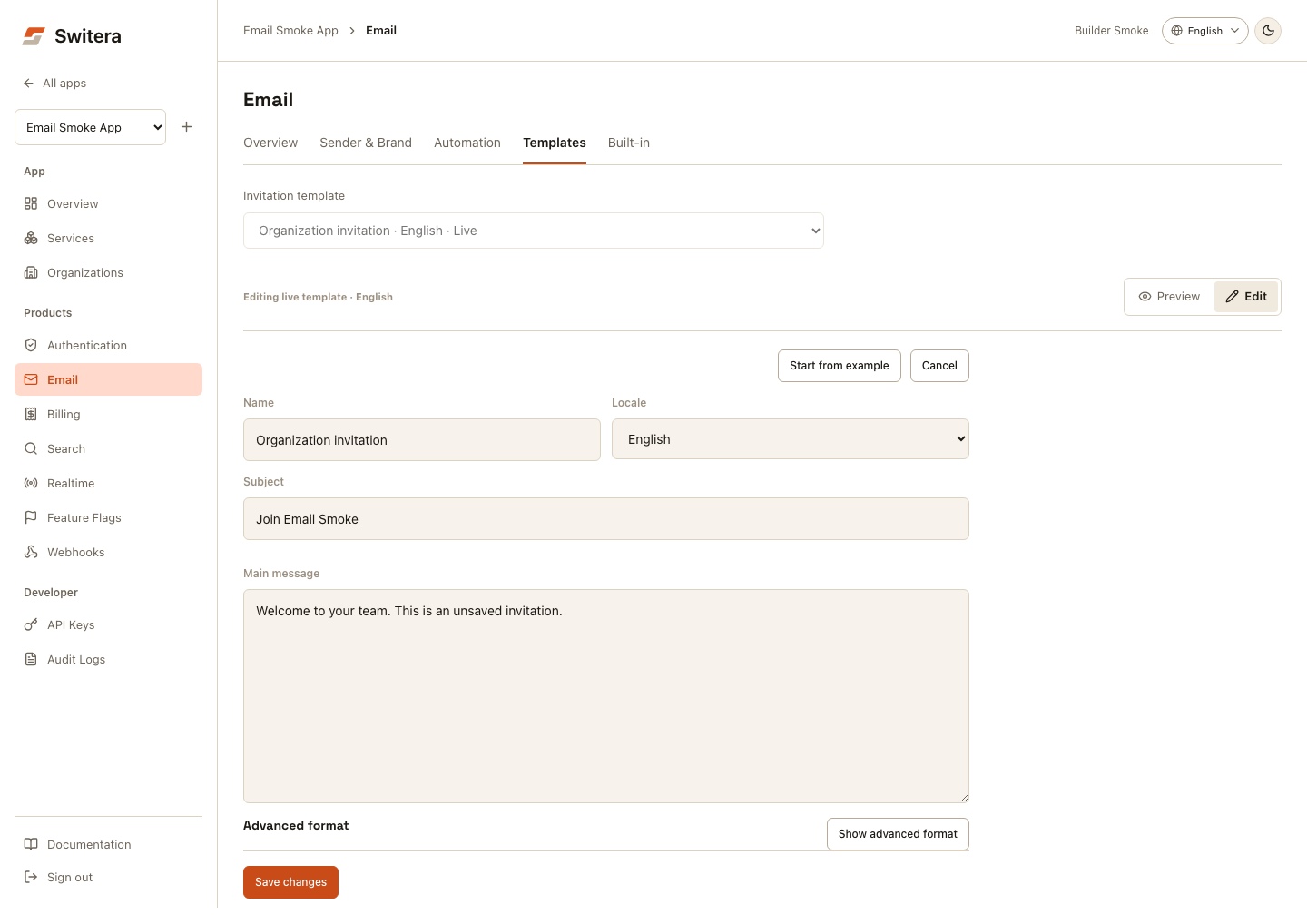
The invitation screen uses sample values and an approximate brand wrapper. It does not create a real invitation or usable authentication code. A saved preview email lets you check the actual delivered rendering. Test the real invitation or sign-in flow separately before launch.
Variables
Invitation templates expose app, organization, inviter and invitation-link variables under Advanced format > Show variables. Built-in messages have kind-specific variables, such as verification codes or security context, under Edit > Show extra details > Show variables. Do not assume a variable from one email kind is available in another.
Avoid exposing raw internal IDs in user-facing emails unless your support process explicitly needs them.
Built-in emails
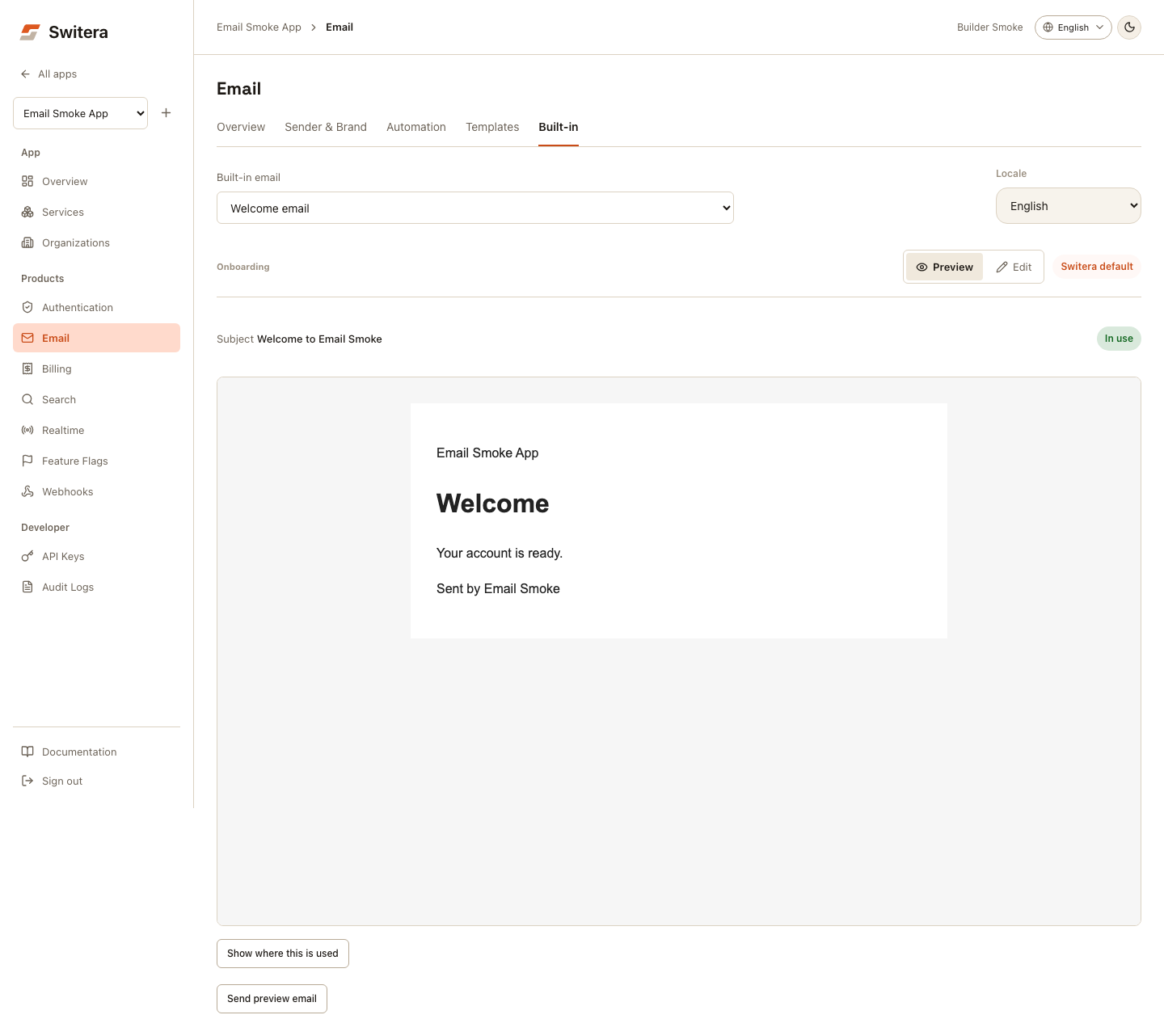
Review built-in emails by category before launch. Their rendered HTML uses your app's theme. Switera-owned platform notifications remain separate and are not customized here.
- Open Built-in, then choose a message in the categorized Built-in email picker.
- Choose its Locale. The preview displays the saved/default content for that locale.
- Select Edit to change the subject, heading and main message. Some kinds also have a button label.
- Select Save built-in copy to persist the override and refresh the rendered preview.
- Select Send preview email to check your saved copy in an inbox.
- Use Reset to default to remove that kind/locale's override when needed.
Switching between Preview and Edit retains your field edits, but the built-in preview shows the saved rendering until you save. The template and locale pickers are disabled while editing. Save before switching messages or locales. After a failed save, the fields remain available for correction and retry.
Show where this is used links to the relevant Auth or workflow settings. Editing copy does not enable a sign-in method, activate a workflow or send a real challenge. Preview links are samples; the preview frame cannot submit forms or execute scripts in the console.
| Category | Built-in emails |
|---|---|
| Sign-in | Magic link sign-in, passwordless code |
| Account trust | Email verification, email change confirmation |
| Account recovery | Password reset |
| Onboarding | Welcome email |
| Organization access | Invitation, invitation accepted, member added, member removed |
| Security | MFA enabled, MFA disabled, password changed, new device login, session revoked, account deleted |
For each email, decide whether it is active for launch, available later, or not needed for this app. Security and account-access messages should normally stay active because they explain account-sensitive events to end users.
MJML source
Managed previews return mjml_source together with rendered body_html and editable content fields. The source uses the app brand theme, including the logo, primary color, accent color, background, support email, and footer text.
The runtime sender still uses the rendered managed HTML path. MJML is the canonical authoring format for the catalog so later template editing can be safer and easier to validate.
Automation and timing
Use Automation to understand when each message sends.
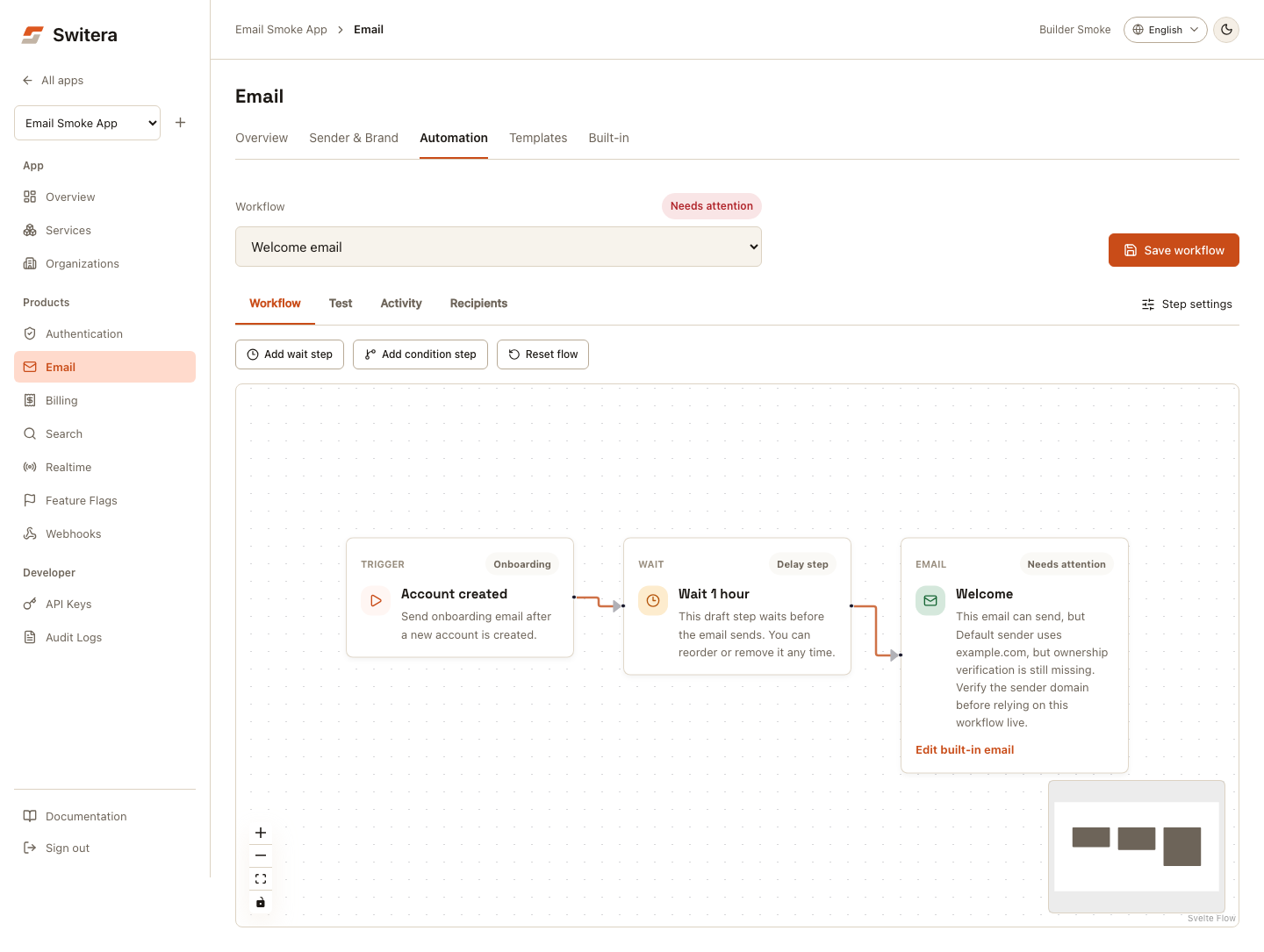
Review:
- trigger event
- delay or immediate send behavior
- whether a workflow is active
- blocked recipient handling
- whether the workflow uses a custom or built-in template
Test checklist
- invitation renders correctly
- verification email reaches the inbox
- recovery email works
- links go to the expected hosted flow
- reply-to goes to a monitored mailbox
- unsubscribed or suppressed recipients are handled correctly
- audit logs show major email configuration changes
Related pages: