Plans and subscriptions
Use Billing plans to define what a customer can buy, then assign a billing customer to an active plan. A billing customer is created from an app organization, so the usual flow starts with organizations.
Create billing customers from organizations
Before assigning a subscription, map organizations into Billing:
- Open the app.
- Open Services > Billing.
- Review the Customers view.
- Select Customers > Sync organizations.
- Confirm each intended organization appears as a billing customer.
The UI uses the product word Organizations. The API path still uses tenants because that is the launch API contract.
Create a plan
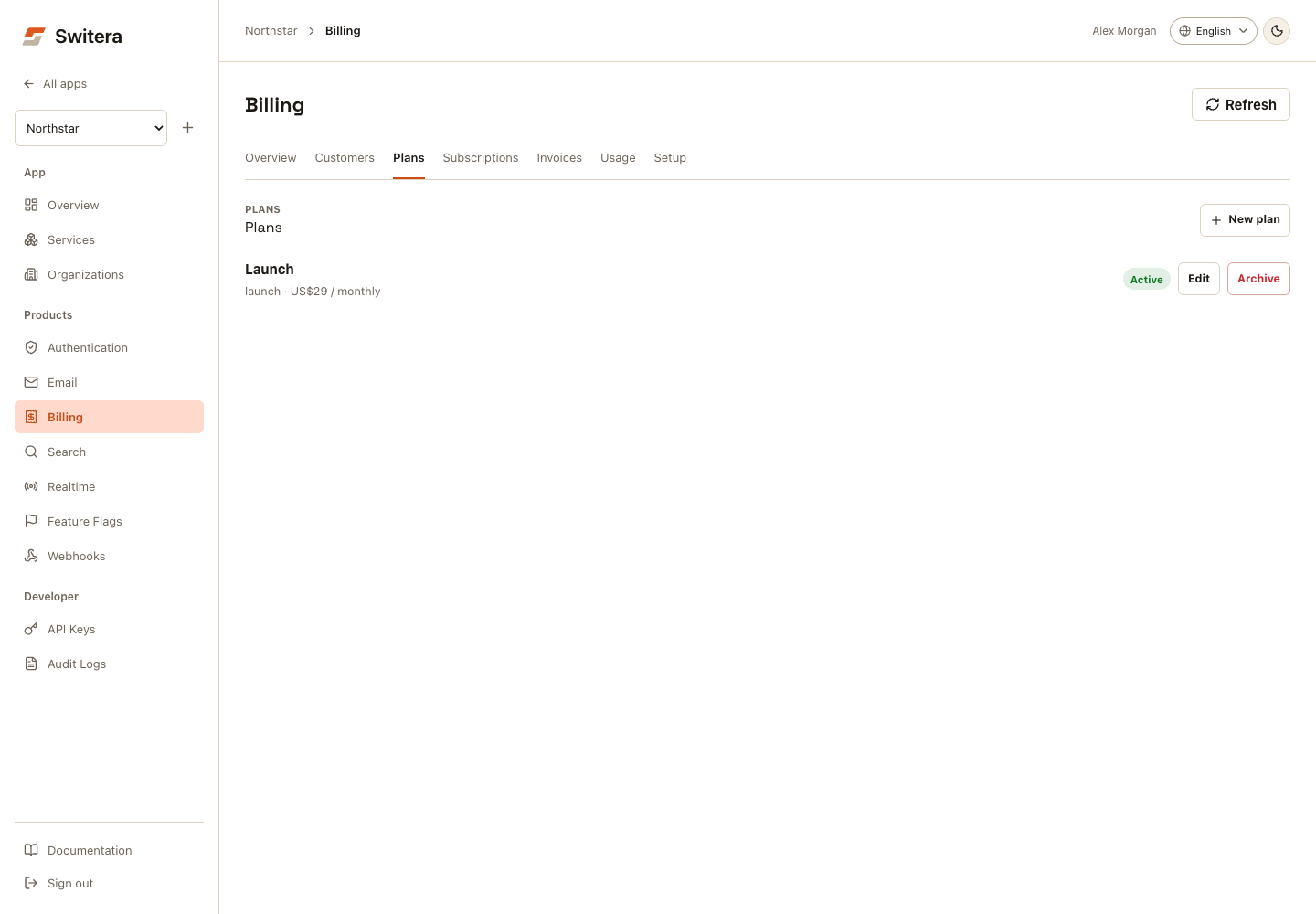
- Open Services > Billing.
- In Plans, select New plan.
- Enter a stable plan name and code.
- Set price, currency, and interval.
- Choose whether the plan is usage-based.
- Keep the plan as Draft while reviewing it.
- Change the status to Active when it is ready for customer assignment.
Use short, stable plan codes. Do not encode customer names, temporary pricing discussions, or private contract details in the code.
Assign a customer
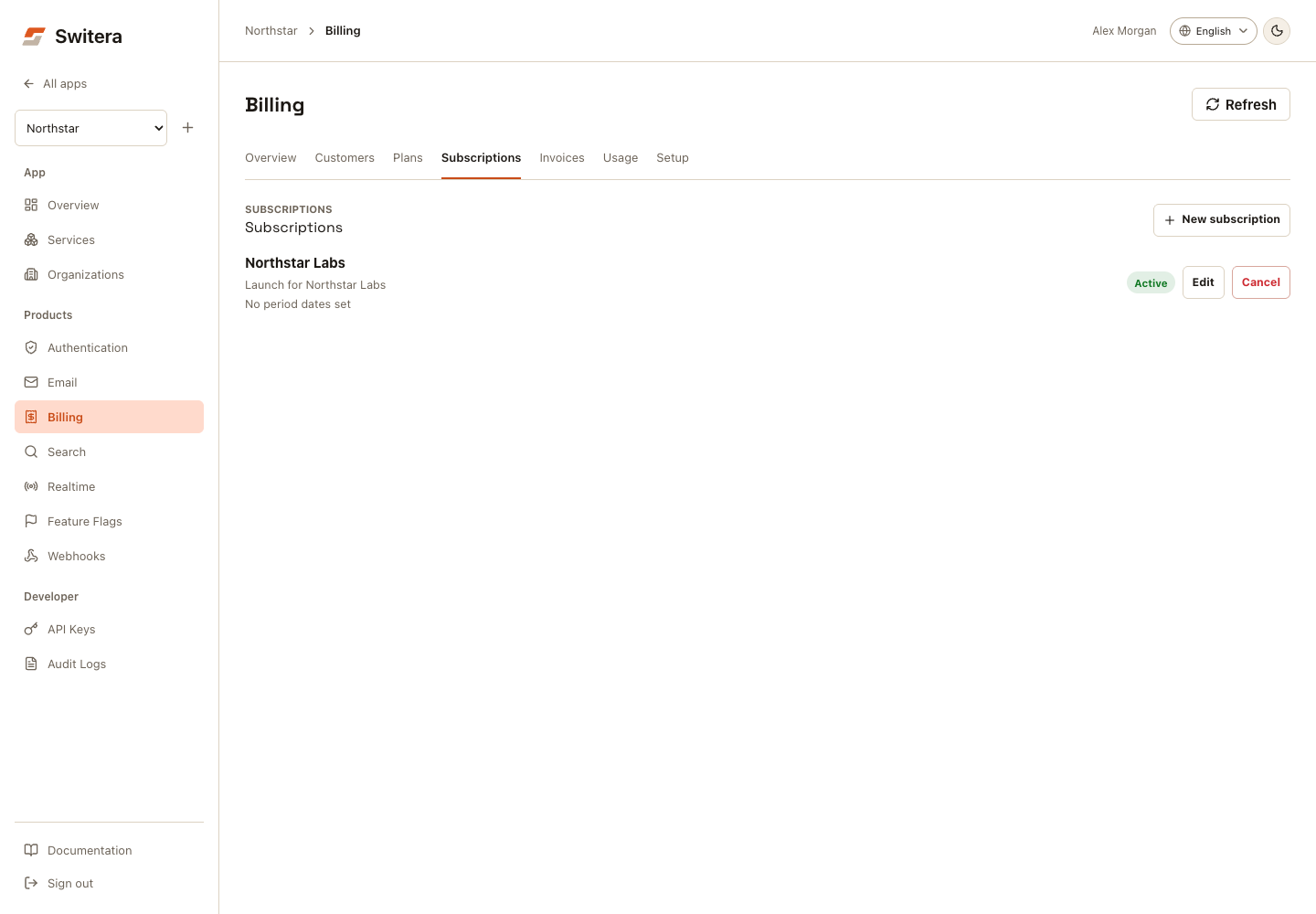
- Confirm the customer mapping exists.
- Confirm an active plan exists.
- In Subscriptions, select New subscription.
- Choose the customer.
- Choose the active plan.
- Select a status such as Trialing or Active.
- Add period dates when you need renewal or trial guidance.
- Save the assignment.
Only one current assignment can exist for the same billing customer. Cancel or update the current assignment before creating a replacement.
Lifecycle states
| State | Meaning | Builder action |
|---|---|---|
trialing | The customer is in a trial window. | Confirm trial end date and conversion plan. |
active | The customer has an active assignment. | Monitor usage and invoices. |
past_due | Payment or period state needs attention. | Review invoice and customer follow-up. |
incomplete | The assignment is not ready for live billing. | Complete missing plan, period, or payment setup. |
canceled | The assignment was ended without deleting history. | Keep for audit and historical context. |
API examples
Sync billing customers from organizations:
curl -X POST "https://switera.com/api/v1/apps/$APP_ID/billing/customers/sync-tenants" \
  -H "Authorization: Bearer $SWITERA_SECRET_KEY"
Create an active monthly plan:
curl -X POST "https://switera.com/api/v1/apps/$APP_ID/billing/plans" \
  -H "Authorization: Bearer $SWITERA_SECRET_KEY" \
  -H "Content-Type: application/json" \
  -d '{
    "code": "launch",
    "name": "Launch",
    "description": "Launch plan for early customers.",
    "currency": "usd",
    "billing_interval": "monthly",
    "amount_cents": 4900,
    "usage_based": true,
    "status": "active"
  }'
Assign a customer to a plan:
curl -X POST "https://switera.com/api/v1/apps/$APP_ID/billing/subscriptions" \
  -H "Authorization: Bearer $SWITERA_SECRET_KEY" \
  -H "Content-Type: application/json" \
  -d '{
    "billing_customer_id": "$BILLING_CUSTOMER_ID",
    "plan_id": "$PLAN_ID",
    "status": "trialing",
    "current_period_start": "2026-07-03T00:00:00Z",
    "current_period_end": "2026-08-02T00:00:00Z",
    "trial_ends_at": "2026-08-02T00:00:00Z"
  }'
Troubleshooting
| Symptom | Likely cause | Fix |
|---|---|---|
| No customers are available | Organizations were not synced into Billing. | Select Customers > Sync organizations or call the sync API. |
| Plan cannot be assigned | The plan is still draft or archived. | Update the plan to active. |
| Assignment says no action needed but customer should convert soon | Period or trial dates are missing or wrong. | Edit the assignment dates. |
| Duplicate assignment error | The billing customer already has a current assignment. | Update or cancel the current assignment first. |
Related pages: