Payment collection readiness
Payment collection readiness tells a Builder whether an app has enough billing state to test paid customer flows. It is intentionally provider-neutral: the Billing page shows Switera concepts such as customers, plans, assignments, invoices, and payment results without exposing internal billing engine details.
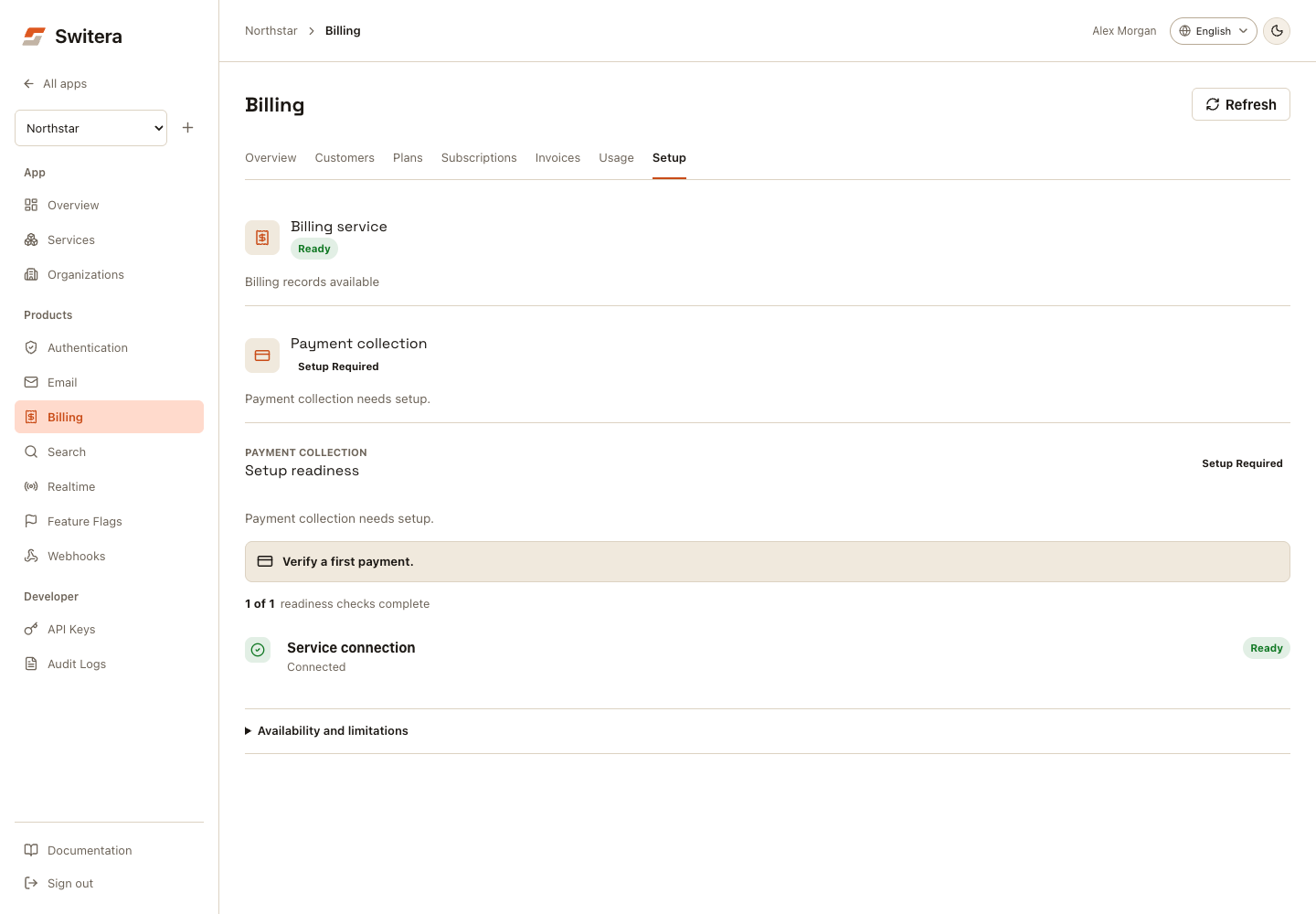
What the checklist means
The Billing page reads the same payment_provider object returned by GET /api/v1/apps/{appId}/billing/overview.
| Check | Ready means | Builder action when not ready |
|---|---|---|
| Customer mapping | At least one organization is synced as a billing customer. | Create an organization, then select Customers > Sync organizations in Billing. |
| Active plan | At least one customer-facing plan is active. | Create or activate the plan that customers should buy. |
| Customer assignment | At least one billing customer has an active or trialing assignment. | Assign the billing customer to an active plan. |
| Invoice visibility | Invoice status is visible for synced billing customers. | Generate a test invoice after customers, plans, and assignments are ready. |
| Payment collection | Payment results are visible or the app still needs collection setup. | Connect payment collection and verify a successful test payment before paid launch. |
Statuses
| Status | Meaning |
|---|---|
setup_required | The app is missing a required billing prerequisite or payment collection has not been verified. |
pending | Work exists but has not reached the ready state yet. |
in_progress | Invoice or payment state is visible, but reconciliation, support, or launch sign-off still needs review. |
needs_attention | Failed or overdue invoice/payment state needs review before paid launch. |
ready | That individual checklist item is complete. |
The overall payment collection status is conservative. Seeing one successful payment result does not automatically mean the app is ready for broad paid launch; operational checks such as support handling, invoice review, and dunning policy still matter.
API example
curl "https://switera.com/api/v1/apps/$APP_ID/billing/overview" \
  -H "Authorization: Bearer $SWITERA_SECRET_KEY"
The response includes a payment readiness object:
{
  "payment_provider": {
    "key": "payment_collection",
    "label": "Payment collection",
    "status": "setup_required",
    "summary": "Complete billing customers, active plans, and customer assignments before collecting payments.",
    "next_action": "Finish the required checks, then connect payment collection and verify a test invoice.",
    "checks": [
      {
        "key": "customer_mapping",
        "label": "Customer mapping",
        "status": "ready",
        "summary": "At least one organization is mapped to a synced billing customer.",
        "required": true
      }
    ]
  }
}
Use the checklist for launch decisions and internal readiness dashboards. Do not build customer-facing checkout screens directly from this object; use it to decide whether your app is ready for payment testing.
Before paid launch
- Confirm all required checks are complete or have an explicit owner.
- Verify that test payment results appear in Billing.
- Confirm failed and overdue invoice states have an owner and support process.
- Subscribe to Billing webhook events for plan and subscription lifecycle changes.
- Keep paid customer invitations disabled until your support and finance workflow is ready.
Related pages: