Billing overview
Switera Billing helps Builders prepare customer plans, map organizations to billing customers, assign subscriptions, review usage and invoice state, and track payment collection readiness from the same app console used for Auth, Email, Webhooks, and API keys.
Billing is app-scoped. Plans, customer mappings, subscriptions, usage, and invoices in one app do not apply to another app.
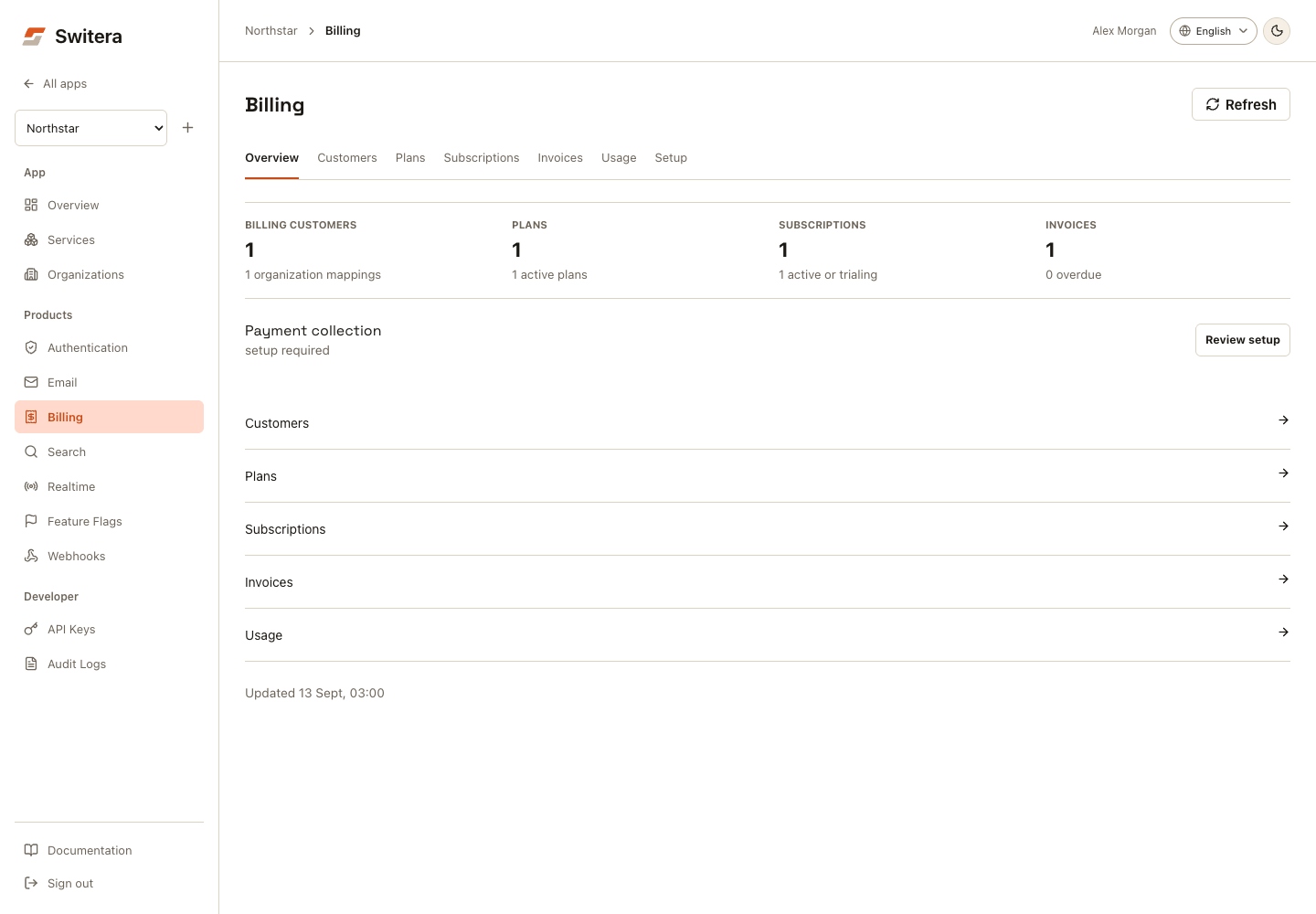
Find your task
Use Overview, Customers, Plans, Subscriptions, Invoices, Usage, or Setup. On smaller screens, choose the same destination from Billing section. Payment checks are in Setup; longer availability notes are under Availability and limitations. These are readiness checks, not proof of a successful charge.
Plan and subscription drafts remain when switching these views. Save before leaving Billing or reloading the page.
What Billing manages
| Area | Use it for | Current launch state |
|---|---|---|
| Customer mappings | Turn app organizations into billing customers. | Available from Customers > Sync organizations and the Billing API. |
| Plan catalog | Create, edit, activate, and archive customer-facing plans. | Available for fixed-price and usage-ready launch plans. |
| Subscriptions | Assign a billing customer to an active plan and track lifecycle hints. | Available for active, trialing, incomplete, past-due, and canceled assignments. |
| Usage meters | Review retained billable usage events from Switera services. | Storage, Managed Data, Email, Webhooks, and API requests have initial metering paths. |
| Invoices | Review invoice and collection status when invoices exist. | Read-only visibility is available for synced billing customers. |
| Payment collection | Check whether the app is ready to test paid customer flows. | A provider-neutral readiness checklist is visible in the Billing page and API. |
| Availability | Review current limitations before paid launch. | Setup > Availability and limitations. |
Recommended setup order
- Create at least one organization for the app.
- Open Services > Billing.
- Open Customers > Sync organizations to create billing customer mappings.
- Open Plans > New plan and create the first active plan.
- Open Subscriptions > New subscription and assign the customer to that plan.
- Review Usage, Invoices, and Setup.
- Run a test invoice/payment flow before inviting real paying customers.
- Use webhooks to notify your backend about plan and subscription lifecycle changes.
Do not invite real customers into paid flows until payment collection, invoice handling, dunning, and your support process are approved for the app.
Permissions
Billing routes are app-scoped management routes. Backend integrations need a trusted secret app key with manage_settings scope.
Browser access requires the signed-in Builder to have permission to manage app settings.
What Billing does not do yet
- It does not expose internal billing engine configuration to Builders.
- It does not provide a full customer payment portal yet.
- It does not implement dunning workflows yet.
- It does not author advanced tiers, seat pricing, custom charges, taxes, or entitlements from the UI yet.
- It does not replace your customer-facing pricing page or checkout UX.
Related pages: